
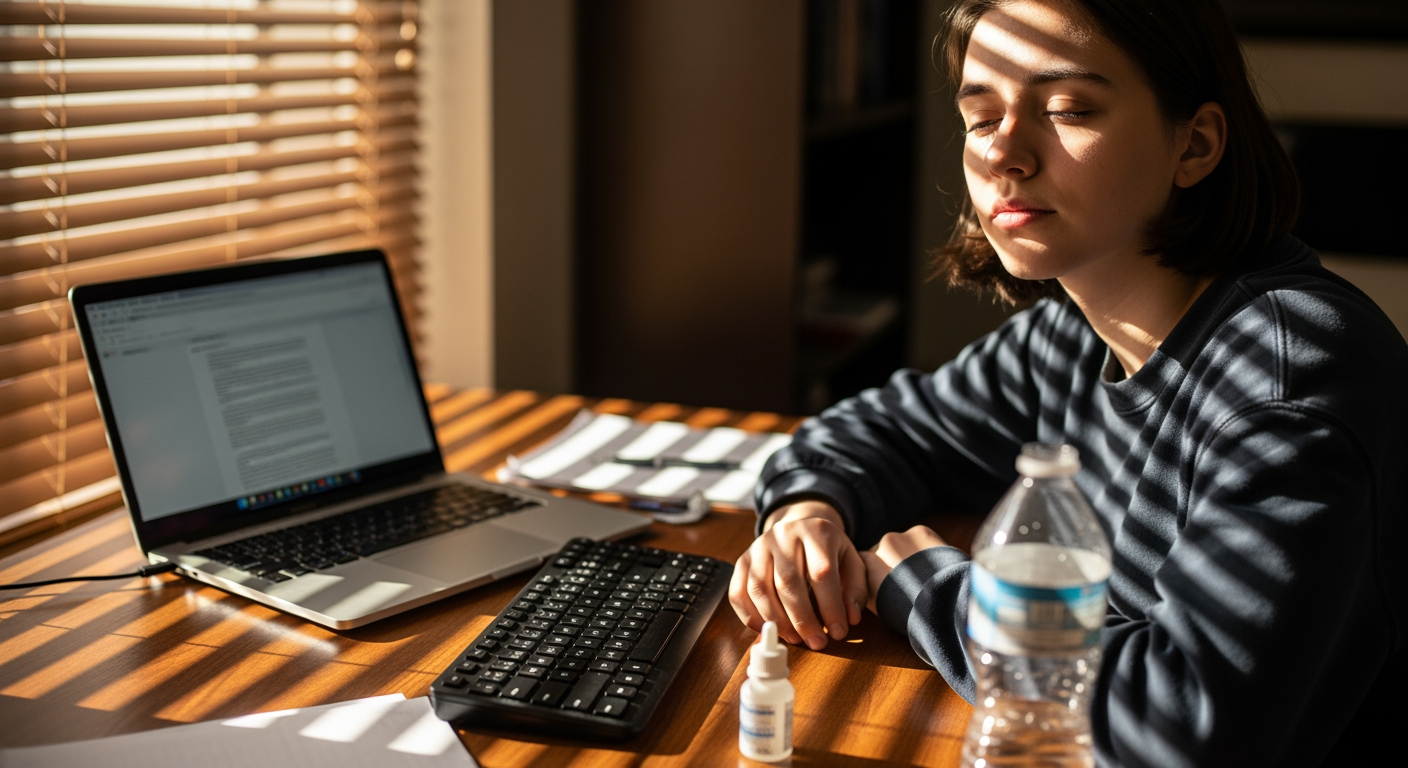
Students spend hours on laptops, tablets, and phones—and that screen time can add up to digital eye strain. If your eyes feel tired, dry, blurry, or you’re getting more headaches after studying, you’re not alone. This guide is for middle school, high school, and college students (and the parents helping them stay on track) who want practical ways to feel better without guessing what actually works. In the summer months, study sessions, travel, and extra scrolling can quietly push your eyes past their comfort zone, so a few small habits now can make long days feel a lot easier.
The good news: most screen-related discomfort improves with simple changes to your setup, your blink habits, and your breaks. The goal isn’t “never use screens” (good luck with that), but to use them in a way that’s easier on your eyes and your focus.
If you’re looking for support from an eye doctor, you can start with digital eye strain care in Athens, GA through Georgia Eye.
Student Screen-Use Fixes
- Use the 20-20-20 break: every 20 minutes, look 20 feet away for 20 seconds to relax focusing muscles.
- Raise your blink rate on purpose: screens reduce blinking, which can worsen dryness and burning.
- Adjust your setup: keep the screen slightly below eye level and about an arm’s length away.
- Match lighting to the task: reduce glare and avoid studying with a bright window behind your screen.
- Consider artificial tears if needed: preservative-free options can help some people with screen dryness (ask your eye doctor if you’re unsure).
- Get checked if symptoms persist: ongoing blur, headaches, or discomfort may signal an uncorrected prescription or dry eye.
What’s Really Happening With Digital Eye Strain
Digital eye strain is a group of symptoms that can show up after long periods of near work on screens (and sometimes reading). It often involves two main issues:
- Focusing fatigue: your eyes and brain work continuously to keep text clear, especially when switching between tabs, notes, and videos.
- Dryness from reduced blinking: many people blink less while concentrating on a screen, which can make eyes feel gritty, watery, or irritated.
Students are especially prone because study sessions can be long, breaks get skipped, and screens are used for both school and downtime. If you already have mild astigmatism, farsightedness, or an outdated prescription, symptoms may show up faster.
Why Timing Matters During Summer Study and Travel
Seasonal routines can make symptoms more noticeable. Summer often brings longer stretches of phone use, road trips, and indoor air conditioning—each of which can contribute to dryness and fatigue. If you’re studying for placement tests, summer classes, or prepping for fall, it’s smart to tighten up habits now so you’re not fighting discomfort during longer academic days later.
Also, if you wear contact lenses, travel days and dry environments can make screen discomfort feel worse. Planning ahead (lubricating drops, breaks, and good lighting) can reduce the “my eyes are done” feeling before the day is over.
Common Student Mistakes
- Studying with the screen too close: closer screens demand more focusing effort and can trigger faster fatigue.
- Ignoring glare: reflections from windows or overhead lights can force your eyes to work harder.
- Powering through headaches: frequent headaches can be a sign your visual system is overworked or your prescription needs updating.
- Using maximum brightness by default: overly bright screens can increase discomfort, especially in dim rooms.
- Assuming blue-light settings fix everything: they may help some people feel more comfortable, but they don’t replace breaks, blink support, or proper prescription.
- Skipping eye care follow-up: persistent symptoms deserve a real evaluation, not just another energy drink.
Your Summer-Ready Screen Comfort Plan
- Set a break timer: use a watch/phone reminder for the 20-20-20 routine during study blocks.
- Rebuild blinking: every time you hit “save” or finish a paragraph, blink slowly 5 times.
- Dial in your distance: keep your screen roughly an arm’s length away; increase font size instead of leaning in.
- Lower the screen slightly: a slightly downward gaze can reduce eye surface exposure and may help dryness.
- Control glare: reposition your desk, close blinds, or use a matte screen filter if reflections are unavoidable.
- Hydrate and protect your eyes: consider preservative-free artificial tears if dryness is a recurring issue; ask your eye doctor which type fits your situation.
- Pack a “screen kit” for travel: lubricating drops (if you use them), glasses case, and a reminder to take breaks on long drives or flights.
The Pattern We See With Students
In practice, we often see students who think they have a “screen problem,” but the bigger issue is a small, correctable mismatch—like a slightly off prescription, unrecognized astigmatism, or mild dryness that becomes obvious only during heavy screen use. When those basics are addressed and the student adds consistent breaks, symptoms often become much more manageable.
When It’s Time to Get Checked
Consider scheduling an eye exam if you notice any of the following:
- Blur that comes and goes during or after screen time
- Headaches that cluster around studying or computer work
- Burning, gritty, or watery eyes most days
- Needing to squint to keep text clear
- Symptoms lasting more than 1–2 weeks despite better breaks and setup
If you ever have sudden vision loss, severe eye pain, or a new shower of floaters/flashes, that can be urgent—seek immediate medical care rather than waiting for a routine appointment.
Your Questions, Answered
Are headaches from screens always an eye issue?
No. Headaches can have many causes. But if headaches reliably show up during reading or computer work, an eye exam can help check for focusing strain, prescription needs, or dry eye that may be contributing.
Do blue-light glasses prevent screen-related discomfort?
They may help some people feel more comfortable, especially with glare or brightness sensitivity, but they’re not a guaranteed fix. Breaks, proper screen distance, and addressing dryness are often more impactful.
What’s the best way to set up a laptop for studying?
Aim for an arm’s-length viewing distance, place the screen slightly below eye level, increase text size, and reduce glare from windows or overhead lighting.
Can contact lenses make screen discomfort worse?
They can for some people, especially in dry indoor air or long study sessions. If you notice more dryness with contacts, talk with your eye doctor about lens options, wear-time habits, and lubricating drops.
How do I know if I should use artificial tears?
If your eyes feel dry, gritty, or burn during screen use, lubricating drops may help. If you’re using them frequently or you’re unsure which type to choose, ask your eye doctor for guidance.
Taking Action Before the Semester Ramps Up
Digital eye strain is common for students, but it isn’t something you have to “push through.” A better screen setup, consistent breaks, and dry-eye support can reduce discomfort and make studying feel more sustainable. If symptoms keep returning—or you’re relying on squinting and headaches to get through assignments—an eye exam can help identify what’s driving the problem. Georgia Eye can help you sort out whether it’s dryness, prescription changes, or another factor affecting your comfort.
Book Your Consultation
Schedule a free consultation with our experts.